FIX Your n8n Login Issues FAST with EXPERT Solutions
G
Gaurav Wankhede - TECHVERSE
1 years ago
1 years ago
FIX Your n8n Login Issues FAST with EXPERT Solutions | n8n Password Reset Made EASY | How to Reset n8n Password
🔐 Locked out of n8n? Don't worry! In this video, I'll show you how to reset your n8n password in minutes-without losing any workflows. This method works for both local installations and servers.
🚀 What You'll Learn:
✅ Why n8n doesn't have a built-in password reset
✅ How to find and edit the n8n SQLite database
✅ How to generate a bcrypt password hash
✅ How to update your password manually
✅ Restarting n8n to regain access
💻Commands:
🎫Open the n8n SQLite Database:
C:\sqlite\sqlite3.exe C:\Users\YourUsername\.n8n\database.sqlite
🎫Check Registered Email Address (SQL Query):
SELECT email FROM user;
🎫Update the User's Password (SQL Query):
UPDATE user SET password = 'Generated_Bcrypt_Hash' WHERE email = 'Your_Registered_Email';
🎫Start/Restart n8n (Example using npx):
npx n8n
💡 Timestamps:
0:000:00 Intro & Problem Statement: Introduces the common issue of being locked out of an n8n account.
0:220:22 Important Disclaimer
0:390:39 Why Manual Reset is Necessary
0:580:58 Locating the n8n Database File
1:411:41 Downloading & Setting Up SQLite Tools
2:482:48 Accessing the Database via Command Line
4:284:28 Generating a Bcrypt Hash for the New Password
5:105:10 Updating the Password in the SQLite Database
6:106:10 Restarting n8n and Verifying Login
6:486:48 Outro & Call to Action
🔧 Resources Mentioned:
bcrypt-generator.com
www.sqlite.org
📢 Did this help? Smash that LIKE button and SUBSCRIBE for more automation tutorials! 🚀 Drop a comment if you have questions!
#n8n #Automation #n8nTutorial #PasswordReset #NoCode
🔐 Locked out of n8n? Don't worry! In this video, I'll show you how to reset your n8n password in minutes-without losing any workflows. This method works for both local installations and servers.
🚀 What You'll Learn:
✅ Why n8n doesn't have a built-in password reset
✅ How to find and edit the n8n SQLite database
✅ How to generate a bcrypt password hash
✅ How to update your password manually
✅ Restarting n8n to regain access
💻Commands:
🎫Open the n8n SQLite Database:
C:\sqlite\sqlite3.exe C:\Users\YourUsername\.n8n\database.sqlite
🎫Check Registered Email Address (SQL Query):
SELECT email FROM user;
🎫Update the User's Password (SQL Query):
UPDATE user SET password = 'Generated_Bcrypt_Hash' WHERE email = 'Your_Registered_Email';
🎫Start/Restart n8n (Example using npx):
npx n8n
💡 Timestamps:
0:000:00 Intro & Problem Statement: Introduces the common issue of being locked out of an n8n account.
0:220:22 Important Disclaimer
0:390:39 Why Manual Reset is Necessary
0:580:58 Locating the n8n Database File
1:411:41 Downloading & Setting Up SQLite Tools
2:482:48 Accessing the Database via Command Line
4:284:28 Generating a Bcrypt Hash for the New Password
5:105:10 Updating the Password in the SQLite Database
6:106:10 Restarting n8n and Verifying Login
6:486:48 Outro & Call to Action
🔧 Resources Mentioned:
bcrypt-generator.com
www.sqlite.org
📢 Did this help? Smash that LIKE button and SUBSCRIBE for more automation tutorials! 🚀 Drop a comment if you have questions!
#n8n #Automation #n8nTutorial #PasswordReset #NoCode
More from this channel

Why Chain of Thought Breaks at Scale
23 days ago

Why Your Brain Lies to You (Fast & Slow Thinking)
25 days ago

7 Triggers That Make You Say Yes (Psychology of Persuasion)
26 days ago

GNAP Protocol in Rust The Simple Way to Production Auth
30 days ago

How I Find YouTube Content Gaps with TubeForge & AI Agents
about 1 month ago

Next.js Alternative? Testing Tokio's Topcoat in Rust
about 1 month ago

GNAP Explained: Why It Replaces OAuth 2.0 and JWT
about 1 month ago

Why MCP Is Overkill for Local Development
about 1 month ago

Rust: Think Iterator, Not Index Loop #rustlang #coding #rust #code #programming
about 1 month ago
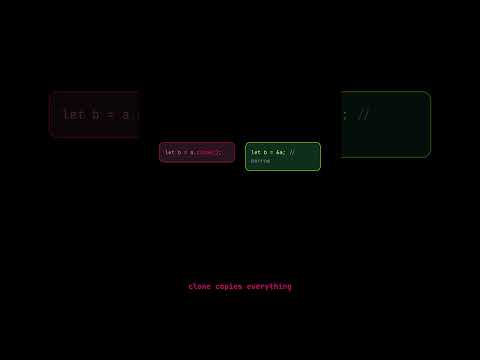
Rust: Stop Using .clone() — It's Technical Debt #rustlang #coding #rust #programming #code
about 1 month ago