TOP Programmer with 5 Years Experience Shares Nextjs 15 CSV Tips
G
Gaurav Wankhede - TECHVERSE
1 years ago
1 years ago
TOP Programmer with 5 Years Experience Shares Nextjs 15 CSV Tips | NEXTJS Expert Shares Top CSV Chat Techniques
🚀 Learn how to build a powerful AI-powered CSV analysis tool using Next.js 15 and Google Gemini 2.0! In this comprehensive tutorial, I'll show you how to create a responsive web application that lets users upload CSV files and chat with their data using natural language.
💻 This project demonstrates how to combine the power of modern web development with AI to create a practical data analysis tool. Ask questions about your data and get instant insights, visualizations, and answers!
chat-with-csv-six.vercel.app
github.com...
Chapters:
0:000:00 Introduction
0:150:15 What is project about
3:073:07 Google API Key Configuration
4:554:55 Setup NextJs project
8:108:10 Setup ShadCN UI
9:249:24 Hello World Page setup
10:4010:40 Configure Code for Google AI
12:0012:00 Create Types for the project
13:5013:50 Variable Setup inside main page
22:1522:15 Setup Route for main page
25:0025:00 Creating System Prompt for the AI
58:0058:00 Updating main Page
59:3059:30 Create Json Helper file
1:00:501:00:50 Create Chart Component
1:08:401:08:40 Update main Page again
1:29:101:29:10 Demo Web app View
✨ FEATURES OF THIS APPLICATION:
• Upload any CSV file and analyze it with natural language queries
• Get instant AI-powered analysis from Google Gemini 2.0
• Beautiful data visualizations with multiple chart types (bar, line, pie)
• Responsive design that works across all devices
• Dark/light mode support
• Markdown-based responses for rich text and tables
• Error handling and API quota management
• Modern UI with Tailwind CSS v4
🔧 TECH STACK:
• Next.js 15+ (App Router)
• TypeScript for type safety
• Google Gemini 2.0 Flash Exp Model for AI analysis
• Vercel AI SDK for AI integration
• Recharts for data visualization
• React Markdown for rich text rendering
• Tailwind CSS v4 for styling
📚 WHAT YOU'LL LEARN:
• Setting up a Next.js 15 project with TypeScript
• Integrating Google Gemini AI models with the Vercel AI SDK
• Building responsive, mobile-first interfaces with Tailwind CSS v4
• Creating interactive data visualizations with Recharts
• Processing and analyzing CSV data with AI
• Implementing a chat interface for natural language data analysis
• Error handling and API management
• Optimizing for performance and user experience
🔗 RESOURCES:
aistudio.google.com
cloud.google.com
nextjs.org...
sdk.vercel.ai...
recharts.org
tailwindcss.com
💬 This project showcases how to leverage the latest advancements in AI to create practical tools for data analysis. With Google Gemini's powerful language understanding capabilities, users can interact with their CSV data through natural language queries and get insightful responses with visualizations.
📊 Who is this for? Data analysts, web developers, product managers, or anyone who works with CSV data and wants to build tools to make data analysis more accessible through natural language.
🌟 Want to take it further?
• Add authentication for user-specific data storage
• Implement CSV data caching for faster responses
• Add support for more chart types and visualizations
• Integrate database storage for saving analysis results
• Add collaboration features for team analysis
📱 The application is fully responsive and works on mobile devices, tablets, and desktops. The intuitive chat interface makes data analysis accessible to everyone, even those without technical SQL or data analysis skills.
👍 Like this video if you found it helpful, and subscribe for more tutorials on building modern web applications with AI integration!
Connect me:
-------------------
gaurav-wankhede.vercel.app
www.linkedin.com...
github.com...
--------------------
Background Music Credit:
-------------------
Music Promoted by Music & Gene at YouTube:
geniemindcreation.wixsite.com
Music by MBB | / mbbofficial
/ mbbmusic
/ mbb_music
www.mbb-music.com
---------------------
#NextJS #GoogleGemini #AI #DataAnalysis #WebDevelopment #TypeScript #TailwindCSS #CSV #DataVisualization #FullStackDevelopment #Vercel #React #AIChat #DataProcessing
🚀 Learn how to build a powerful AI-powered CSV analysis tool using Next.js 15 and Google Gemini 2.0! In this comprehensive tutorial, I'll show you how to create a responsive web application that lets users upload CSV files and chat with their data using natural language.
💻 This project demonstrates how to combine the power of modern web development with AI to create a practical data analysis tool. Ask questions about your data and get instant insights, visualizations, and answers!
chat-with-csv-six.vercel.app
github.com...
Chapters:
0:000:00 Introduction
0:150:15 What is project about
3:073:07 Google API Key Configuration
4:554:55 Setup NextJs project
8:108:10 Setup ShadCN UI
9:249:24 Hello World Page setup
10:4010:40 Configure Code for Google AI
12:0012:00 Create Types for the project
13:5013:50 Variable Setup inside main page
22:1522:15 Setup Route for main page
25:0025:00 Creating System Prompt for the AI
58:0058:00 Updating main Page
59:3059:30 Create Json Helper file
1:00:501:00:50 Create Chart Component
1:08:401:08:40 Update main Page again
1:29:101:29:10 Demo Web app View
✨ FEATURES OF THIS APPLICATION:
• Upload any CSV file and analyze it with natural language queries
• Get instant AI-powered analysis from Google Gemini 2.0
• Beautiful data visualizations with multiple chart types (bar, line, pie)
• Responsive design that works across all devices
• Dark/light mode support
• Markdown-based responses for rich text and tables
• Error handling and API quota management
• Modern UI with Tailwind CSS v4
🔧 TECH STACK:
• Next.js 15+ (App Router)
• TypeScript for type safety
• Google Gemini 2.0 Flash Exp Model for AI analysis
• Vercel AI SDK for AI integration
• Recharts for data visualization
• React Markdown for rich text rendering
• Tailwind CSS v4 for styling
📚 WHAT YOU'LL LEARN:
• Setting up a Next.js 15 project with TypeScript
• Integrating Google Gemini AI models with the Vercel AI SDK
• Building responsive, mobile-first interfaces with Tailwind CSS v4
• Creating interactive data visualizations with Recharts
• Processing and analyzing CSV data with AI
• Implementing a chat interface for natural language data analysis
• Error handling and API management
• Optimizing for performance and user experience
🔗 RESOURCES:
aistudio.google.com
cloud.google.com
nextjs.org...
sdk.vercel.ai...
recharts.org
tailwindcss.com
💬 This project showcases how to leverage the latest advancements in AI to create practical tools for data analysis. With Google Gemini's powerful language understanding capabilities, users can interact with their CSV data through natural language queries and get insightful responses with visualizations.
📊 Who is this for? Data analysts, web developers, product managers, or anyone who works with CSV data and wants to build tools to make data analysis more accessible through natural language.
🌟 Want to take it further?
• Add authentication for user-specific data storage
• Implement CSV data caching for faster responses
• Add support for more chart types and visualizations
• Integrate database storage for saving analysis results
• Add collaboration features for team analysis
📱 The application is fully responsive and works on mobile devices, tablets, and desktops. The intuitive chat interface makes data analysis accessible to everyone, even those without technical SQL or data analysis skills.
👍 Like this video if you found it helpful, and subscribe for more tutorials on building modern web applications with AI integration!
Connect me:
-------------------
gaurav-wankhede.vercel.app
www.linkedin.com...
github.com...
--------------------
Background Music Credit:
-------------------
Music Promoted by Music & Gene at YouTube:
geniemindcreation.wixsite.com
Music by MBB | / mbbofficial
/ mbbmusic
/ mbb_music
www.mbb-music.com
---------------------
#NextJS #GoogleGemini #AI #DataAnalysis #WebDevelopment #TypeScript #TailwindCSS #CSV #DataVisualization #FullStackDevelopment #Vercel #React #AIChat #DataProcessing
More from this channel

Why Chain of Thought Breaks at Scale
23 days ago

Why Your Brain Lies to You (Fast & Slow Thinking)
25 days ago

7 Triggers That Make You Say Yes (Psychology of Persuasion)
26 days ago

GNAP Protocol in Rust The Simple Way to Production Auth
30 days ago

How I Find YouTube Content Gaps with TubeForge & AI Agents
about 1 month ago

Next.js Alternative? Testing Tokio's Topcoat in Rust
about 1 month ago

GNAP Explained: Why It Replaces OAuth 2.0 and JWT
about 1 month ago

Why MCP Is Overkill for Local Development
about 1 month ago

Rust: Think Iterator, Not Index Loop #rustlang #coding #rust #code #programming
about 1 month ago
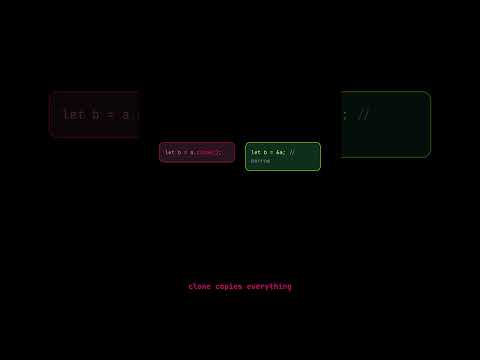
Rust: Stop Using .clone() — It's Technical Debt #rustlang #coding #rust #programming #code
about 1 month ago